
 ePOSOnline POS software
Close every day knowing your numbers.
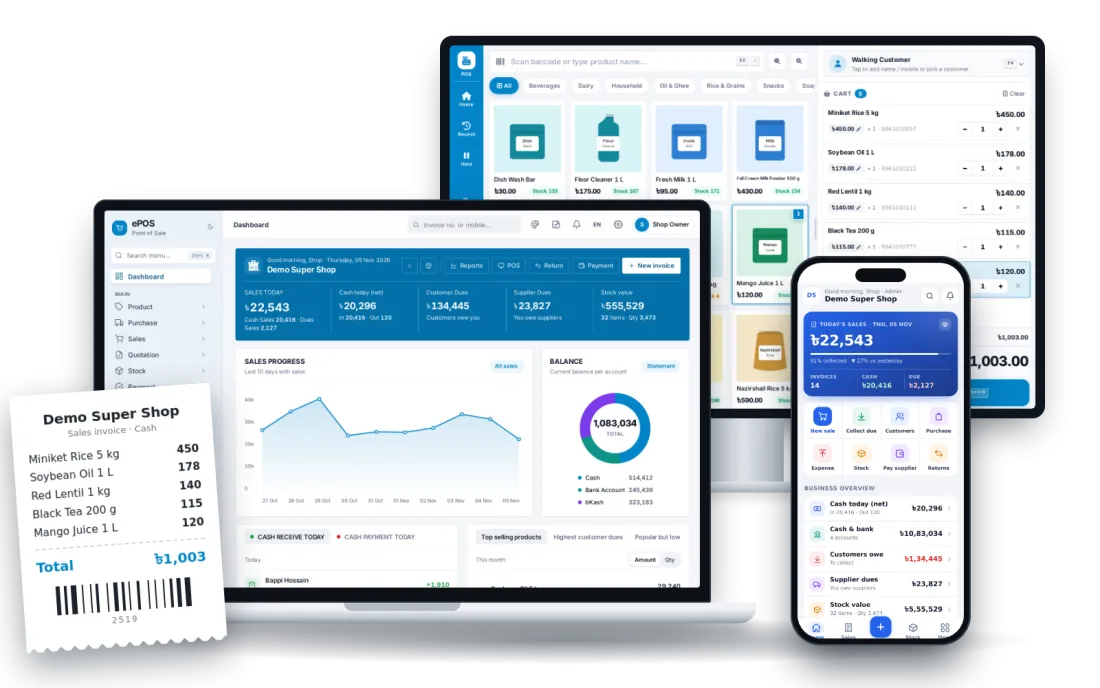
Sales, purchase, stock, dues and profit on one screen, in Bangla or English, on a computer or a phone.
Features
20 features in one system.

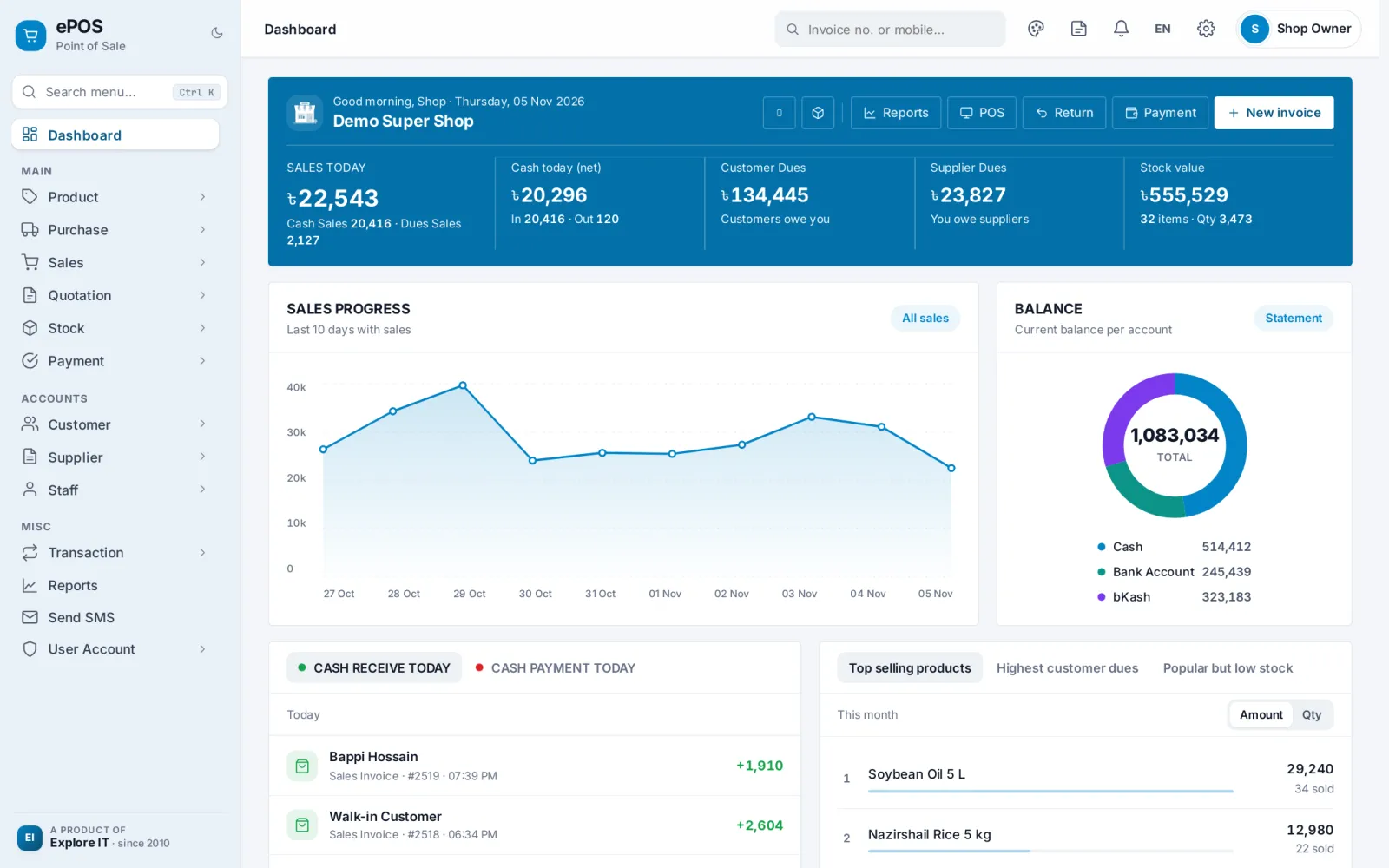
- Sales dashboard with today's figures
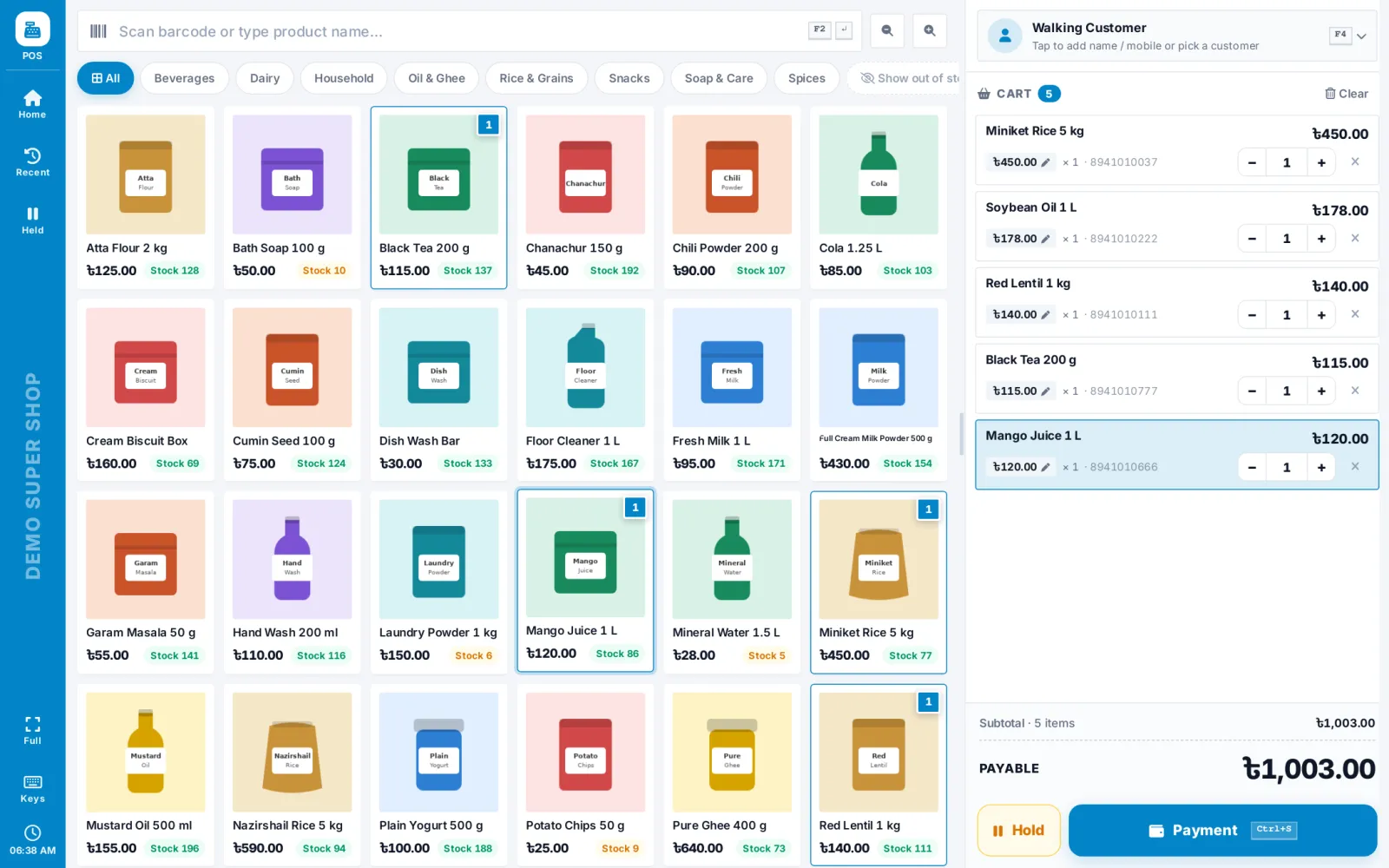
- POS counter with barcode scanning
- Hold and recall bills
- Retail and wholesale pricing
- Discount, VAT and shipping charges
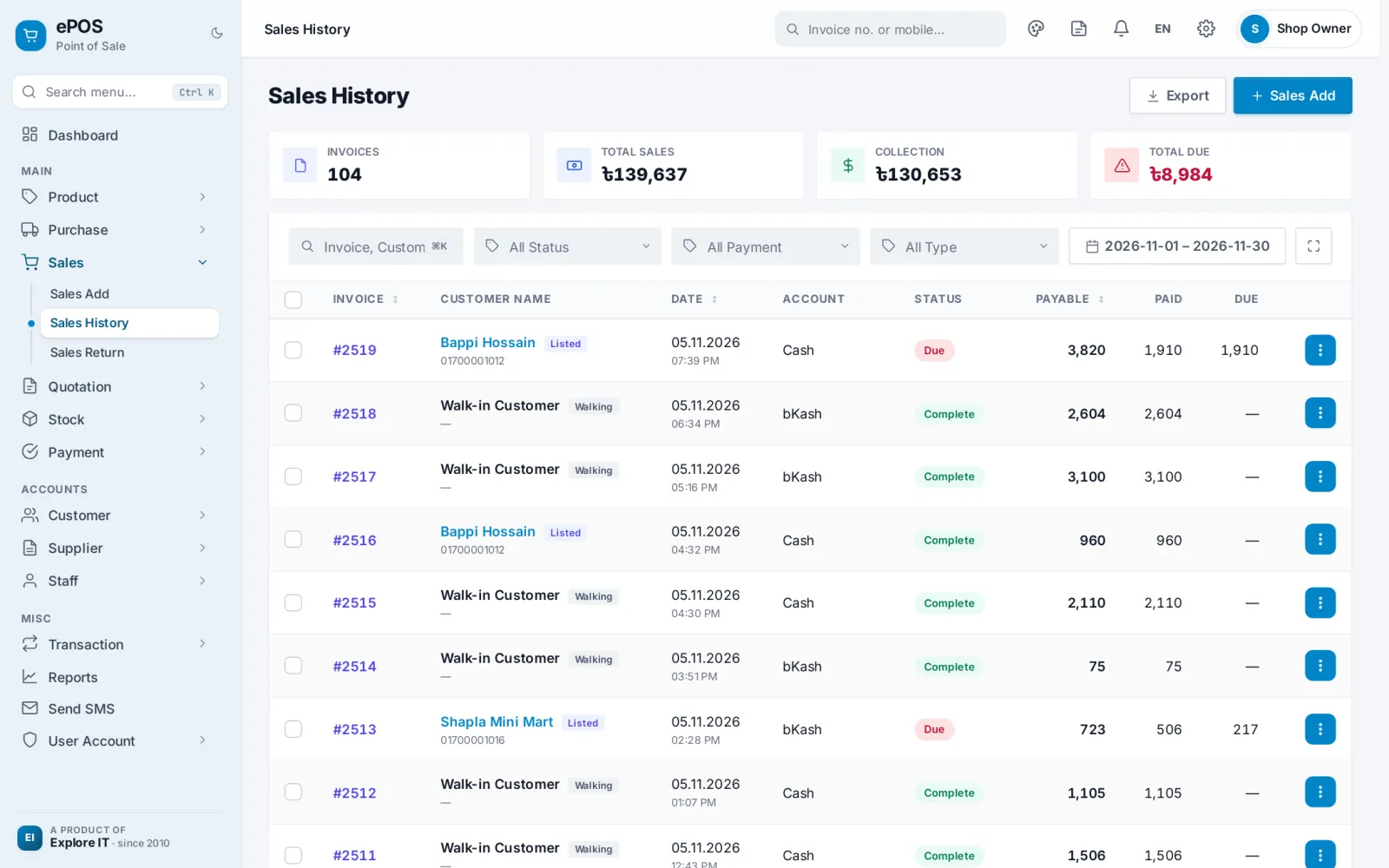
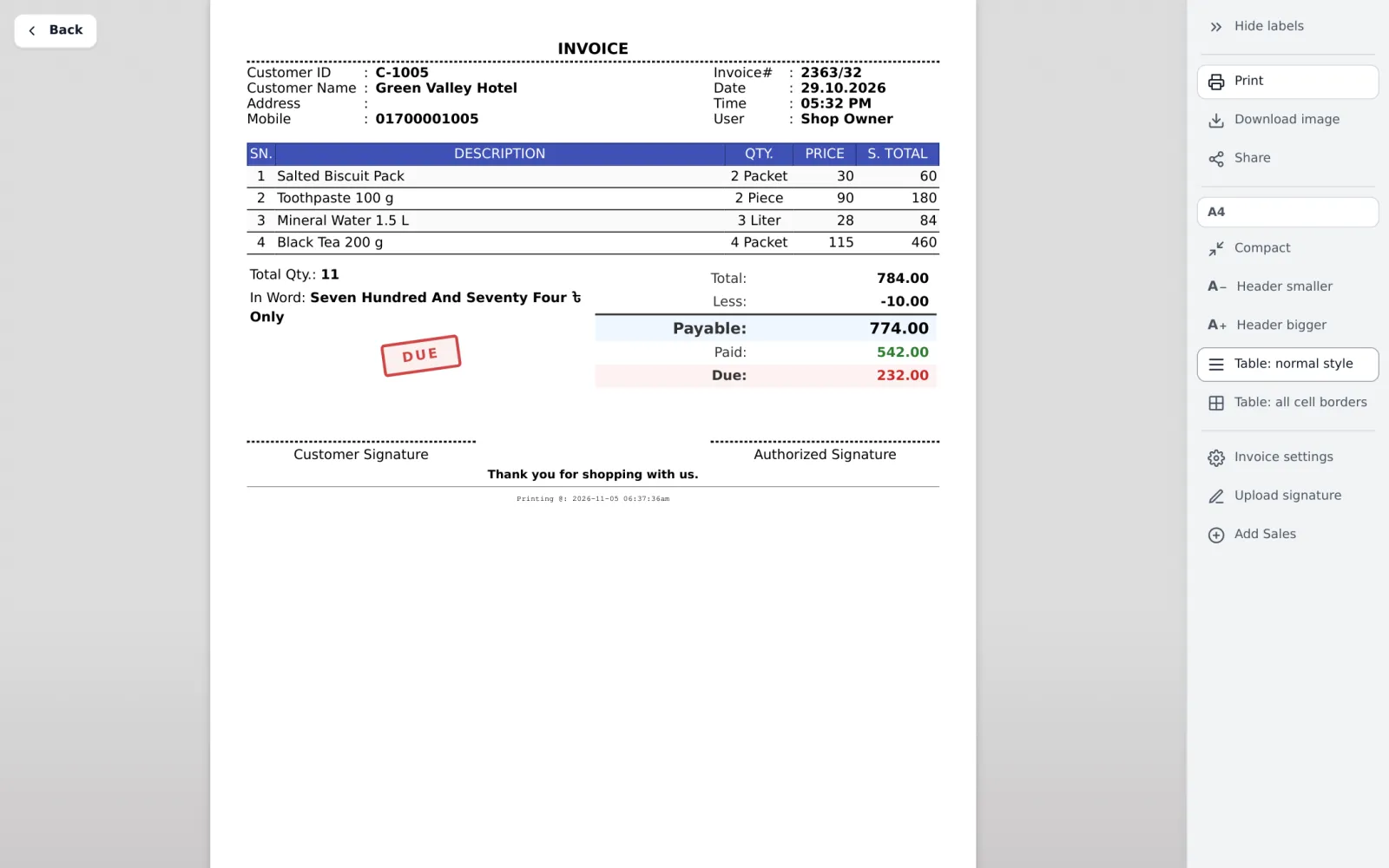
- Invoice print, image download and share
- Return and exchange against the bill
- Barcode label printing
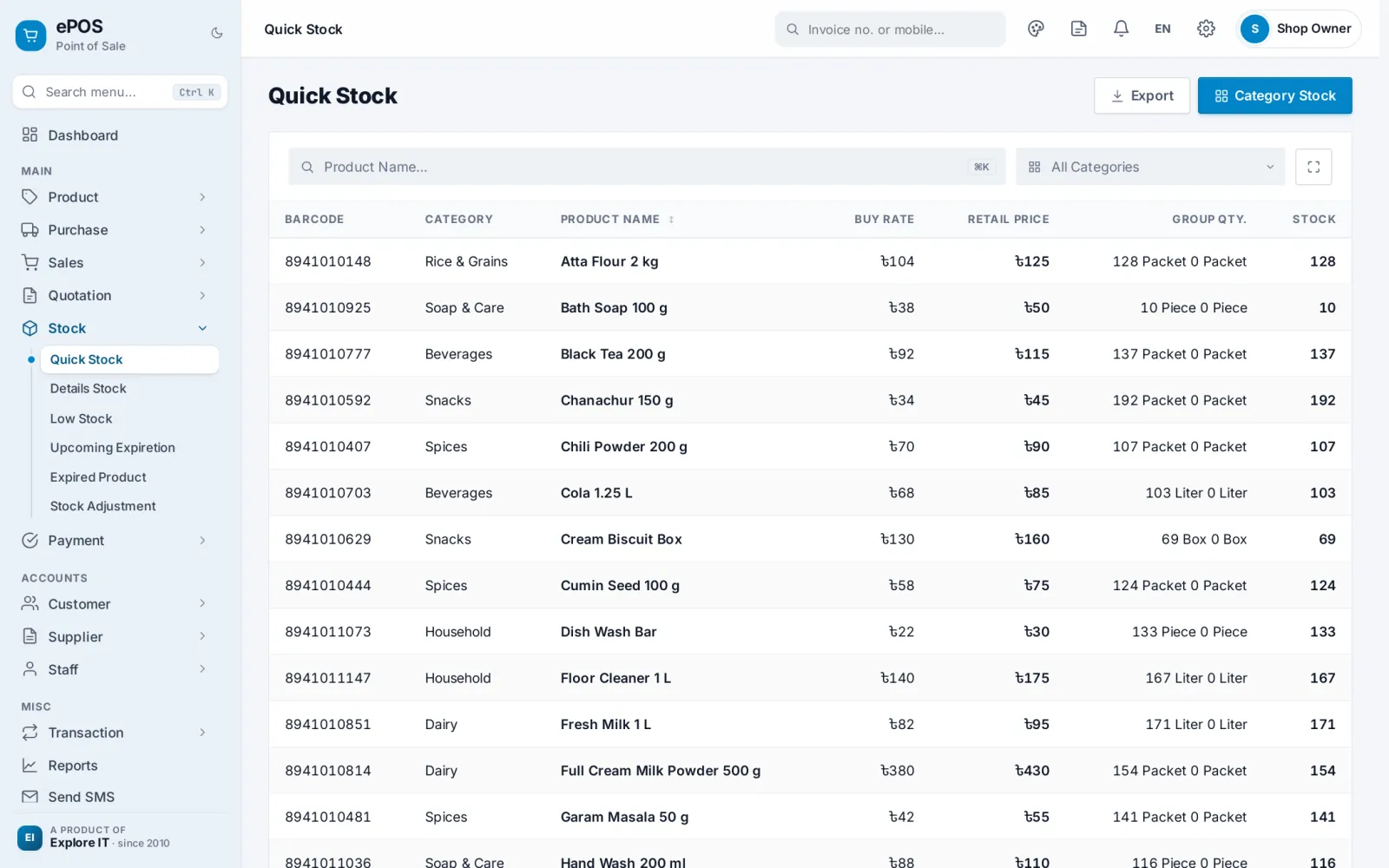
- Stock, low stock and expiry tracking
- Purchase entry and purchase returns
- Customer and supplier ledgers
- Due collection and supplier payments
- Income and expense entries
- Cash, bank and mobile banking accounts
- Staff attendance and salary
- Bulk SMS and due reminders
- 40+ reports with Excel, print and image
- Profit by invoice, product and staff
- User roles with permissions
- Mobile app (beta)
Screens
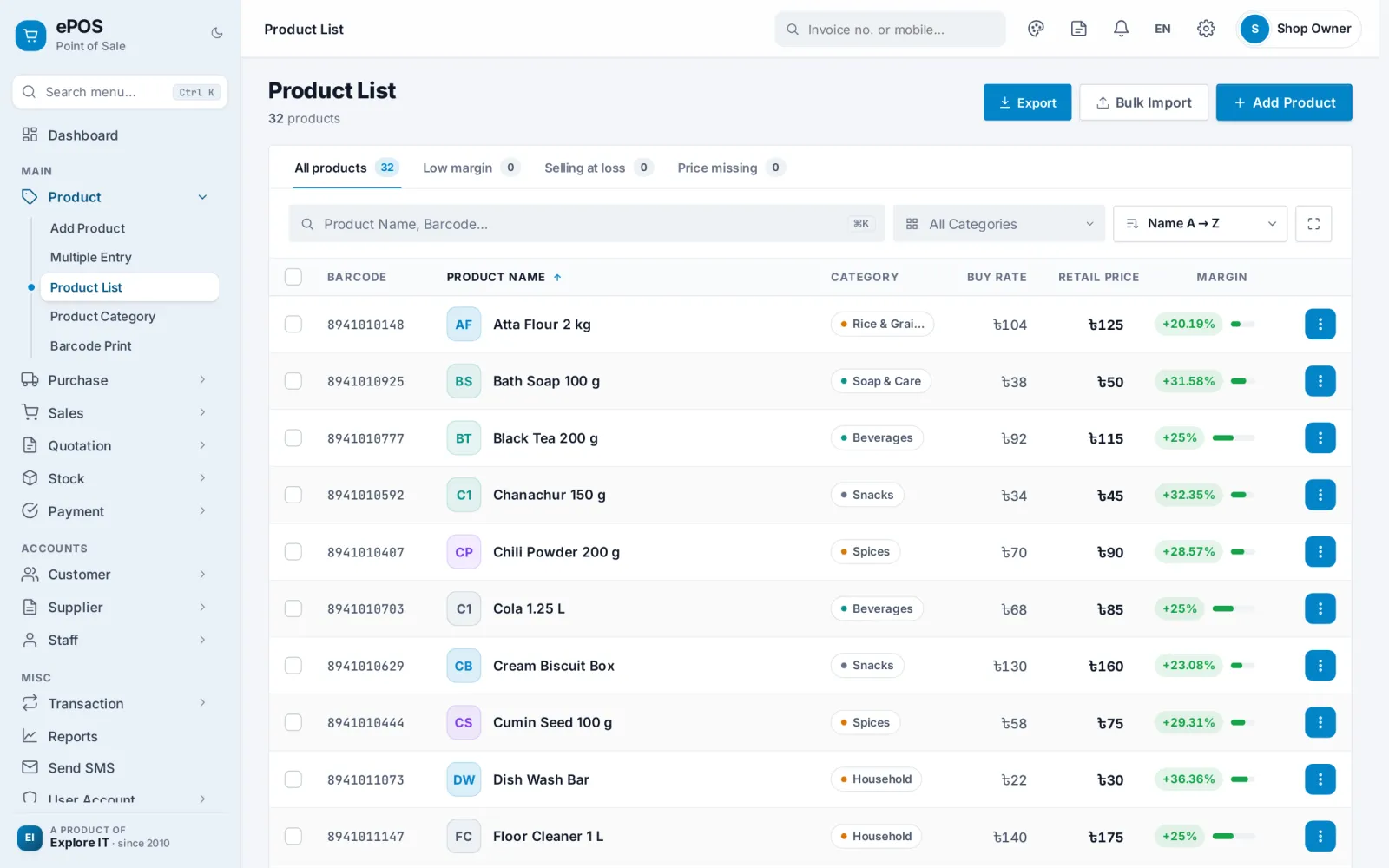
Real screens from ePOS.
How to get started
 1Book a free demoSee it working and ask us anything.
 2Choose a packageConfirm and pay the setup charge.
 3We set it upWith your data, and we train your team. Delivery within 4-6 hours after payment.
 4Go liveWith phone and WhatsApp support.
Helpful reading
Questions

Is there a limit on server space?
No, there is no limit.
Can I use my own domain?
Yes, for an additional charge. Ask us for the current price.
Can I host the software on my own server?
No. The software only runs on our own servers.
Can I switch to other software later?
Yes. We will give you a backup of your data in PDF and Excel format.
I already use other software. Can I bring my data to explore IT?
Some of your data may be transferable. We will discuss what is possible with you first.
Is the SMS fee included in the package?
No, SMS is charged separately.
Can I move from the monthly package to the yearly package?
Yes, but the full charge of the yearly package applies when you move.
What if there is no internet connection?
ePOS needs an internet connection and cannot work offline. A mobile hotspot is usually enough. If you have no connection at all, write bills by hand and enter them later.
Can you add a feature I need?
Yes, if it is relevant to the software. Tell us what you need.
Does ePOS work in Bangla?
Yes. Every shop can use ePOS in Bangla or English and switch at any time, including invoices and reports.
Is there a mobile app?
Yes. The ePOS mobile app is in beta. It covers sales, dues, stock, purchase and expenses on your phone. It will become a paid service after the main version is released.
Terms and conditions

Ordering and payment
- One-time package: pay 50% of the setup charge in advance.
- Monthly package: pay the setup fee in advance.
- Software will be delivered within 4-6 hours after payment.
- SMS is not included in the package and is charged at Tk 0.35 per SMS.
Conditions
- The software works as shown in the demo, so please check the demo before you confirm your order.
- Support hours may change on unofficial holidays.
- Support is not available on weekends.
- Service will be suspended if the monthly or yearly renewal fee is not paid within 7 working days.
- Refund claims are not accepted more than 3 days after purchase.
- We may add or remove features and modules to improve the software.


