
 OMR SimpleOMR sheet maker and checker software
MCQ answer sheets checked in seconds.
Make OMR answer sheets in your institute name, check them with a mobile app or an ADF scanner, and get roll-wise results and Excel in one place.
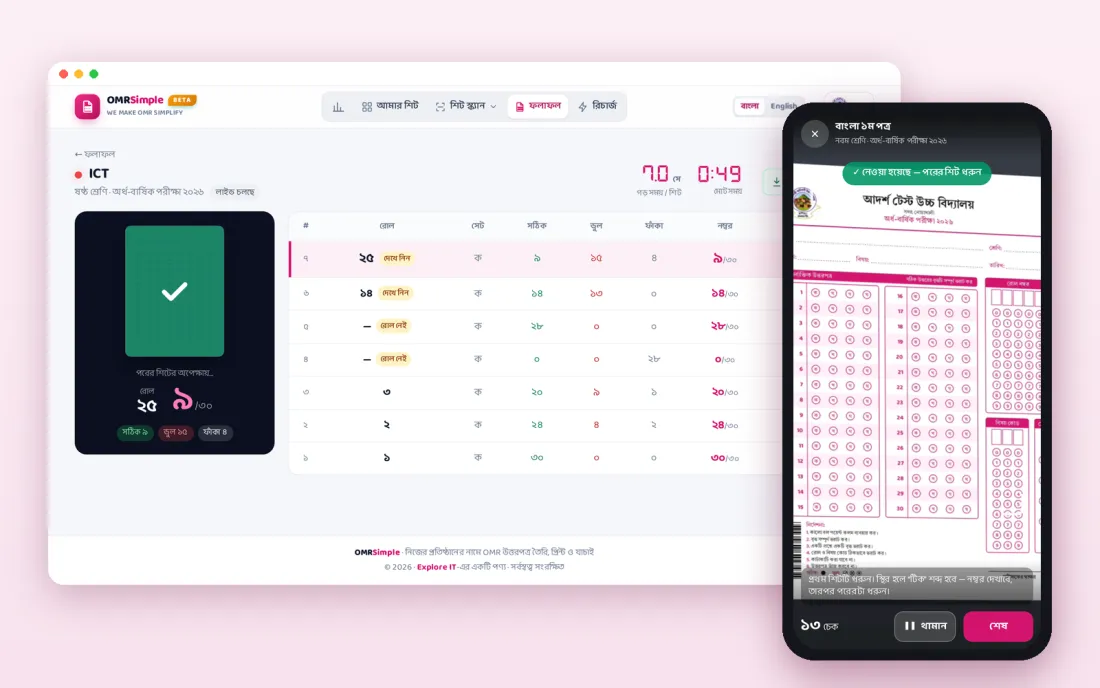
Features
20 features in one system.

- OMR answer sheet in your institute name, address and logo
- 25, 30, 50 or 100 questions
- A5 or A4 paper, two A5 sheets on one page
- Roll box from 2 to 8 digits
- 3-digit subject code
- 2 to 4 question sets
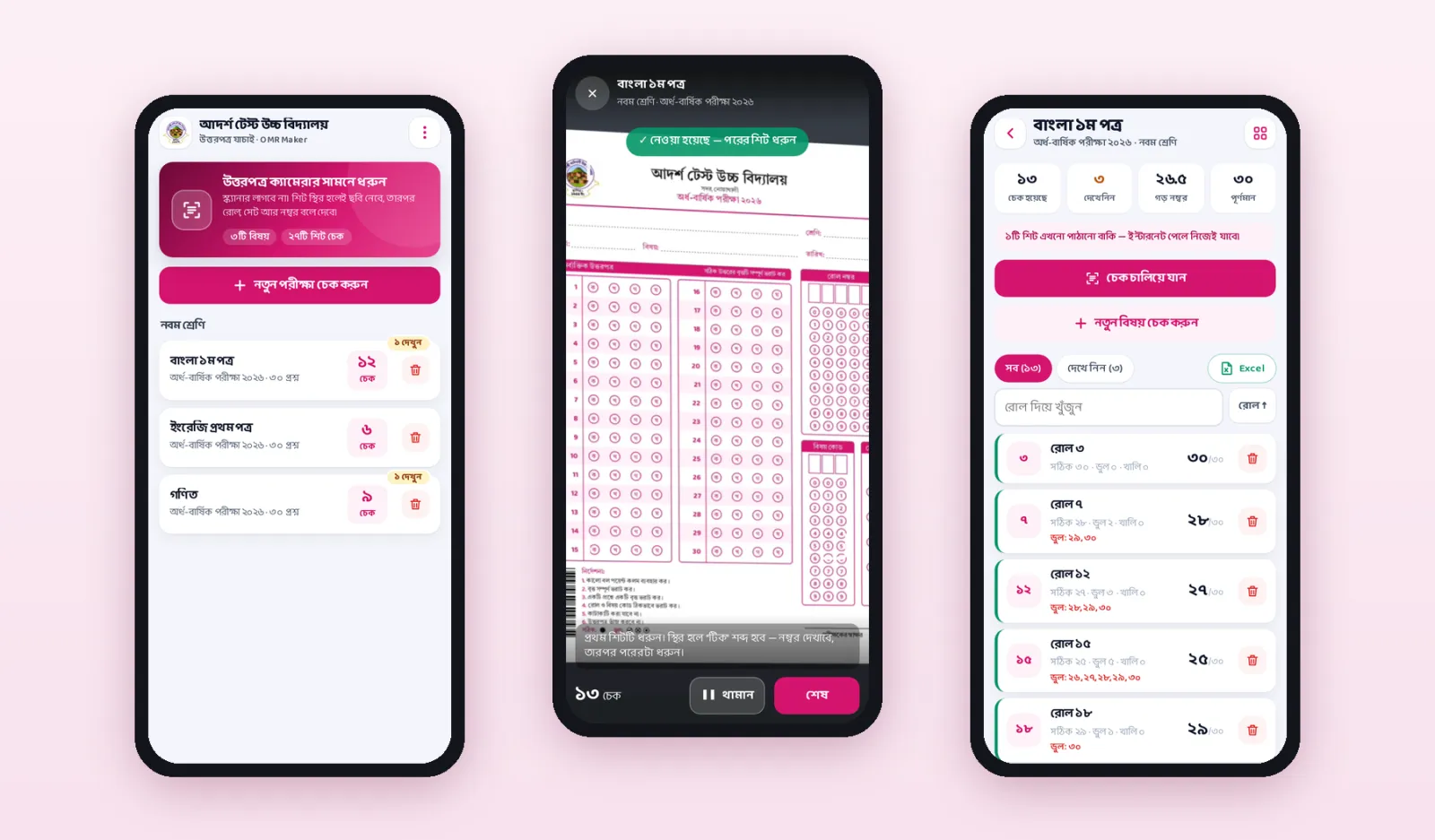
- Check sheets with the mobile app, about 2 seconds per sheet
- Check many sheets at once with an ADF scanner
- Batch check from a scanned PDF
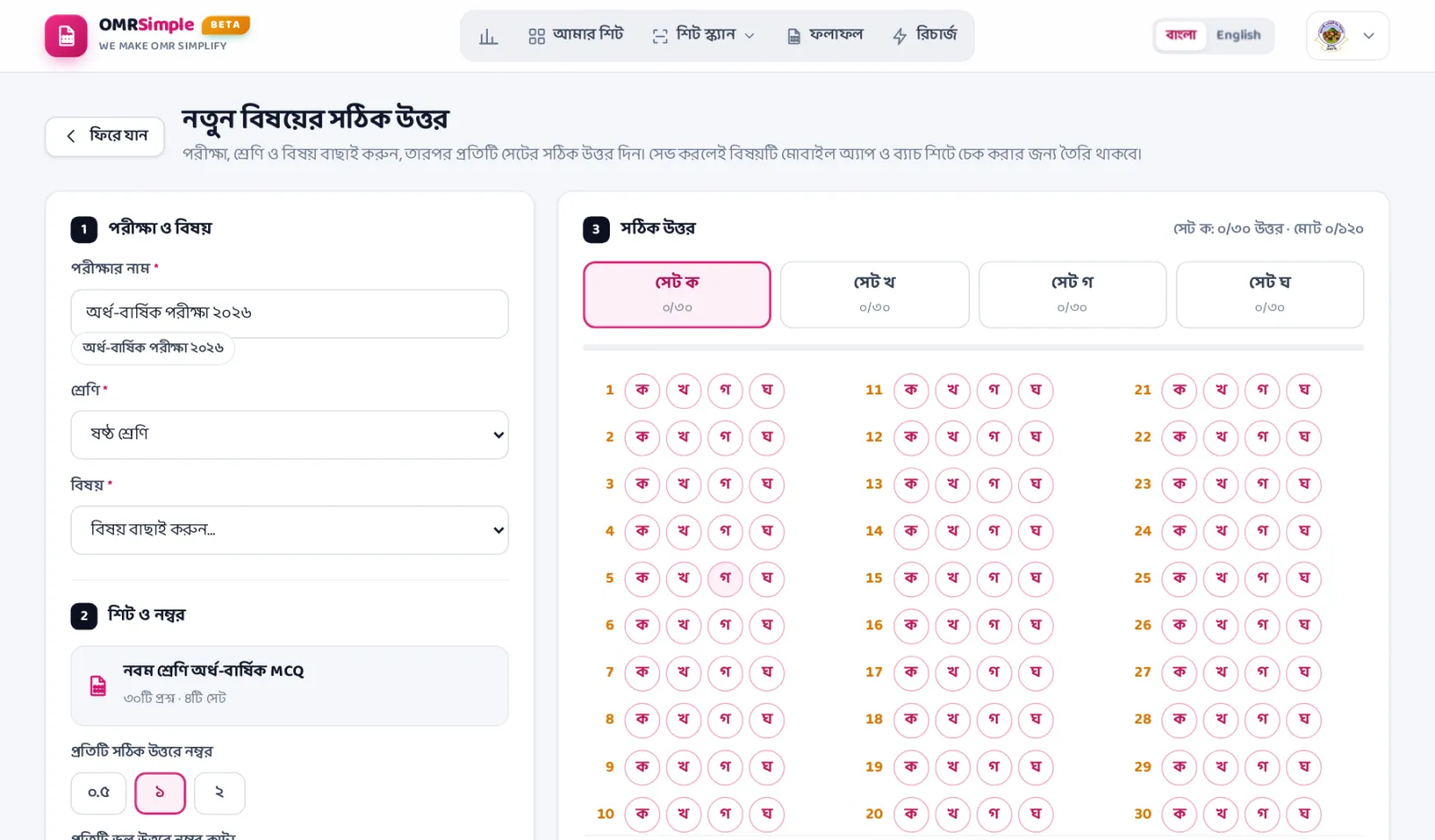
- Right answers for each set
- Negative marking for wrong answers (0.25 or 0.5)
- Results by roll or by marks
- Wrong question numbers for each student
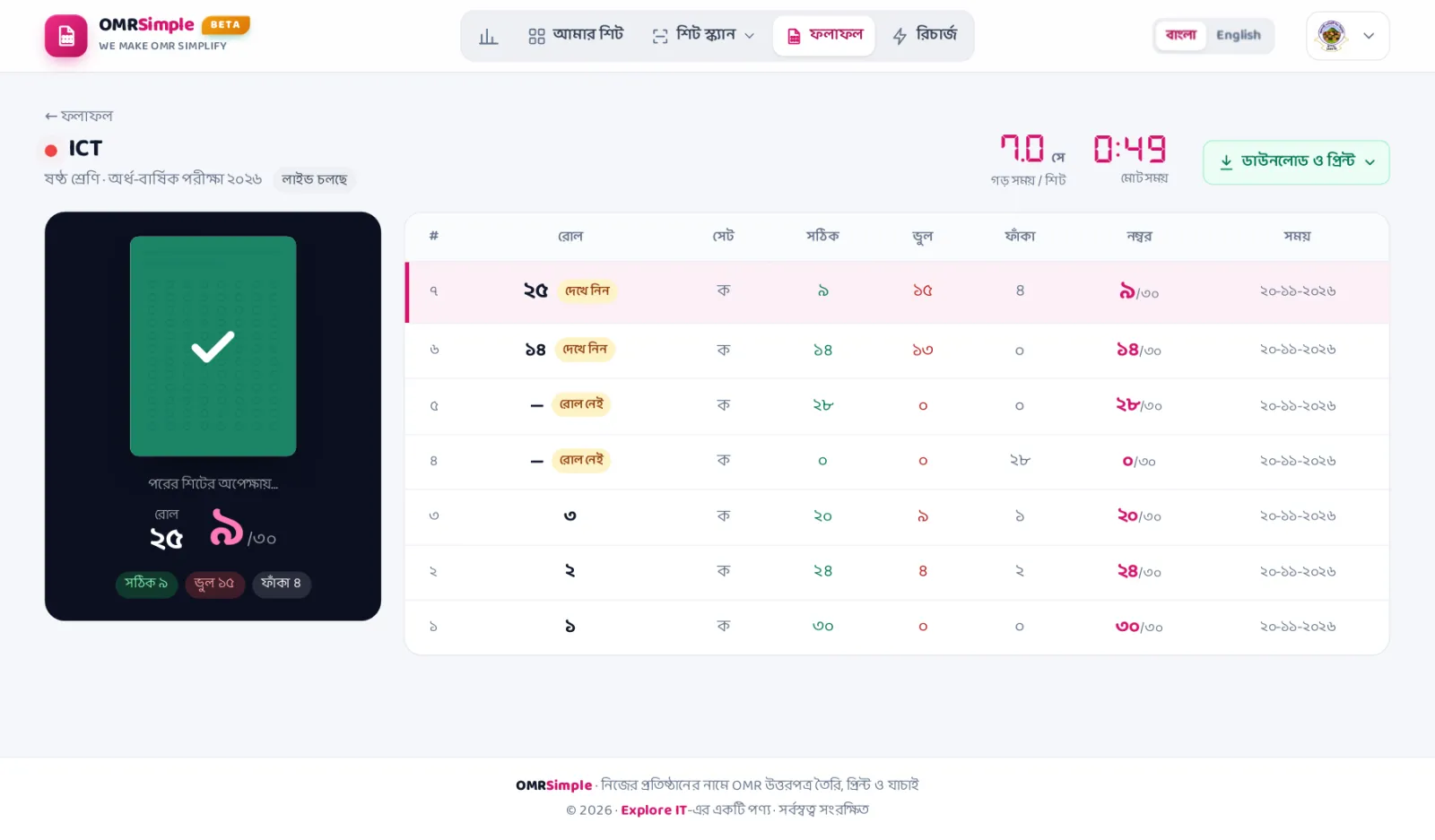
- Live results while sheets are checked
- Print results or download PDF, Excel, Word and PNG
- One Excel for all subjects
- Save sheet designs and copy them for a new exam
- Extra users with menu access
- Works in Bangla and English
- Works from a computer or a phone
OMR sheet checker software for schools, madrasahs and colleges
OMR Simple is online OMR (Optical Mark Recognition) software for MCQ exams. You make and print the OMR answer sheet, students fill the circles, and the software reads every sheet and prepares the result. You do not need an OMR machine: a smartphone or an ADF scanner does the checking.
Make your own OMR sheet
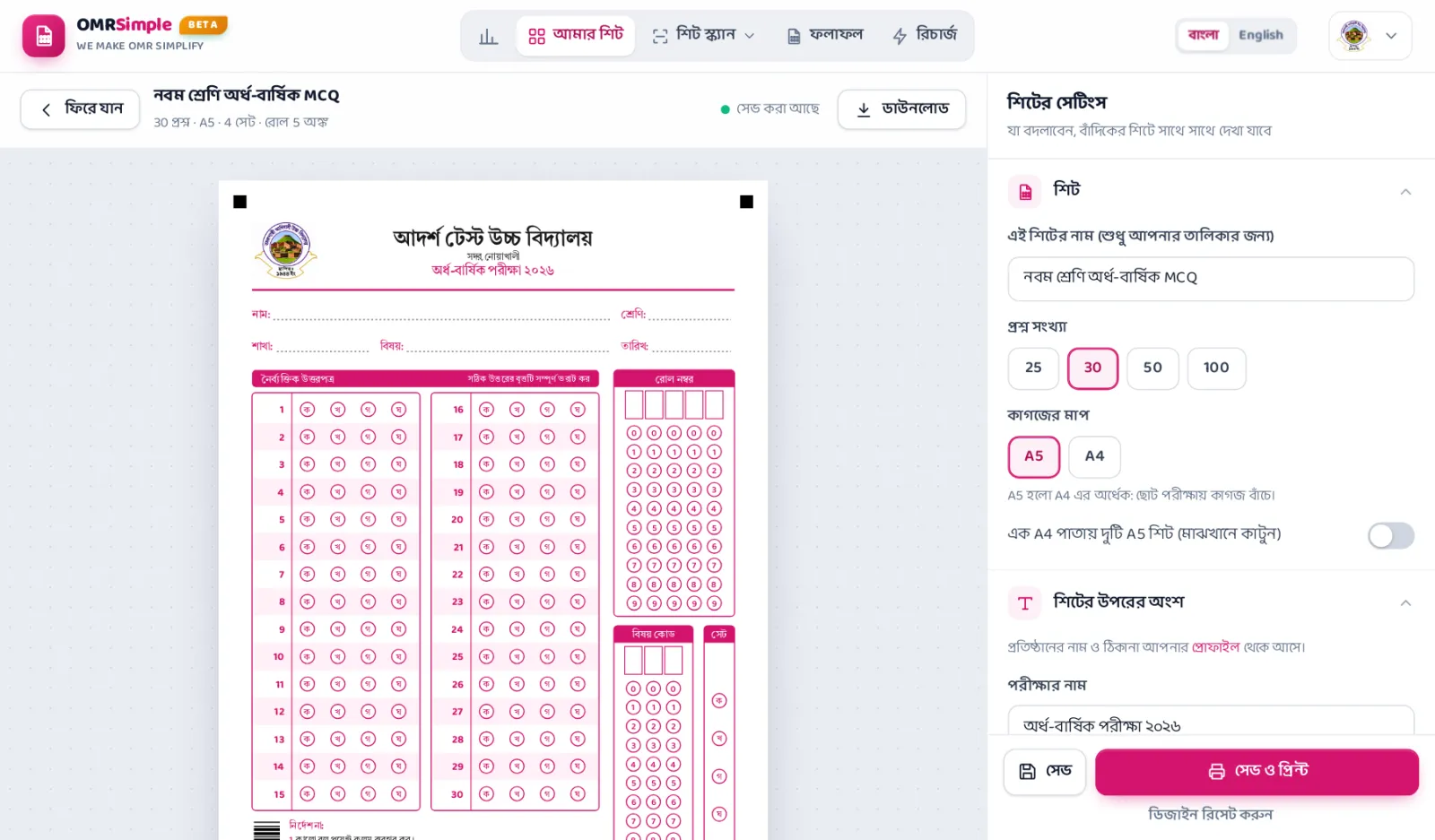
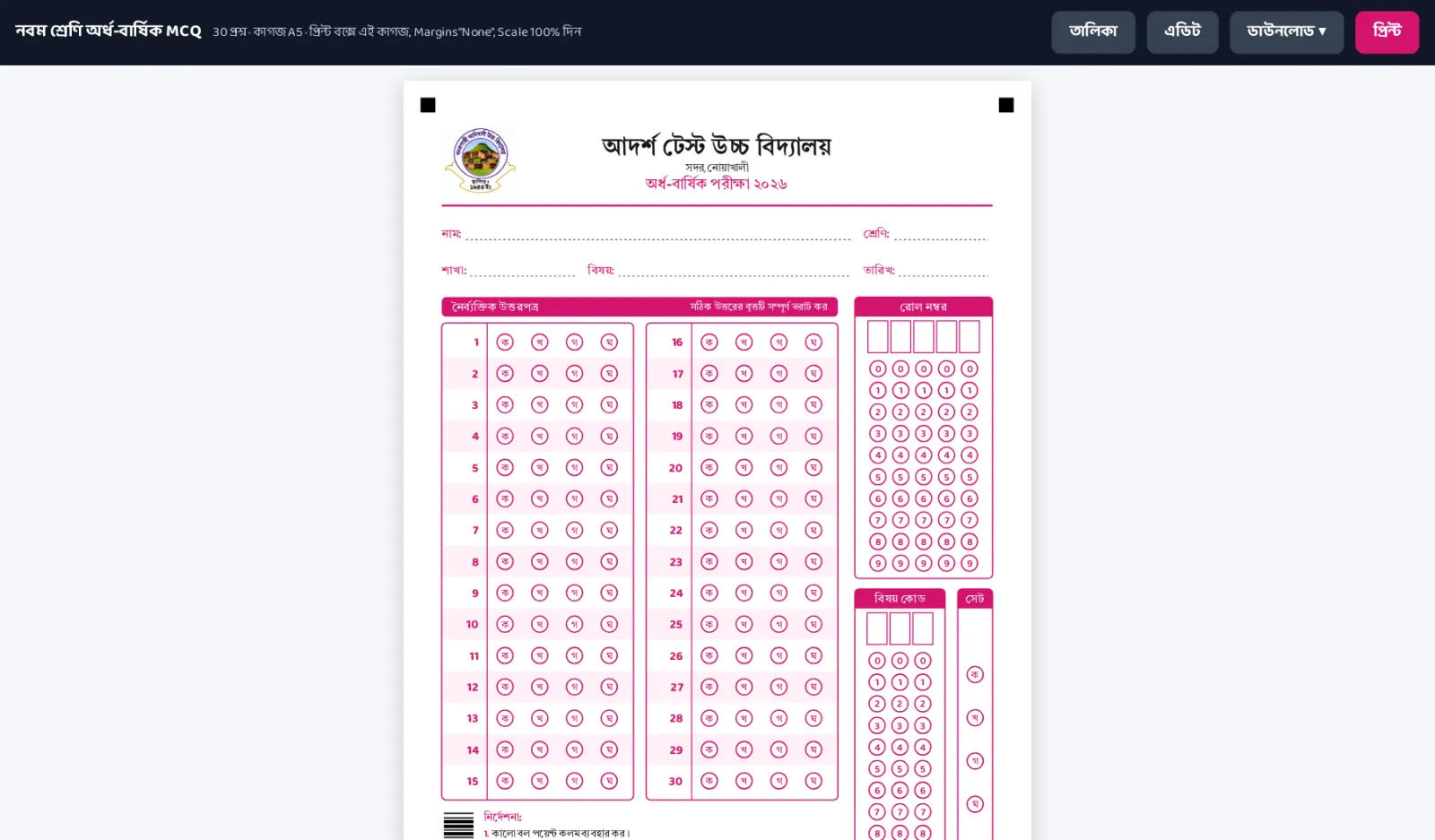
Put your institute name, address and logo on the sheet. Choose the number of questions, A4 or A5 paper, roll digits, subject code and question sets, then print it on plain paper.
Check MCQ answer sheets with a mobile phone
Open the OMR Simple mobile app and hold each sheet in front of the camera. It reads the roll, the set and every answer, and shows the marks in a moment.
Check many sheets with an ADF scanner
For a big exam, scan all the sheets into one PDF with an ADF scanner and upload it. OMR Simple checks every page of the PDF together.
Results ready to print and download
See the result by roll or by marks, with the wrong question numbers of each student and negative marking. Print it, or download PDF, Excel, Word or PNG.
Screens
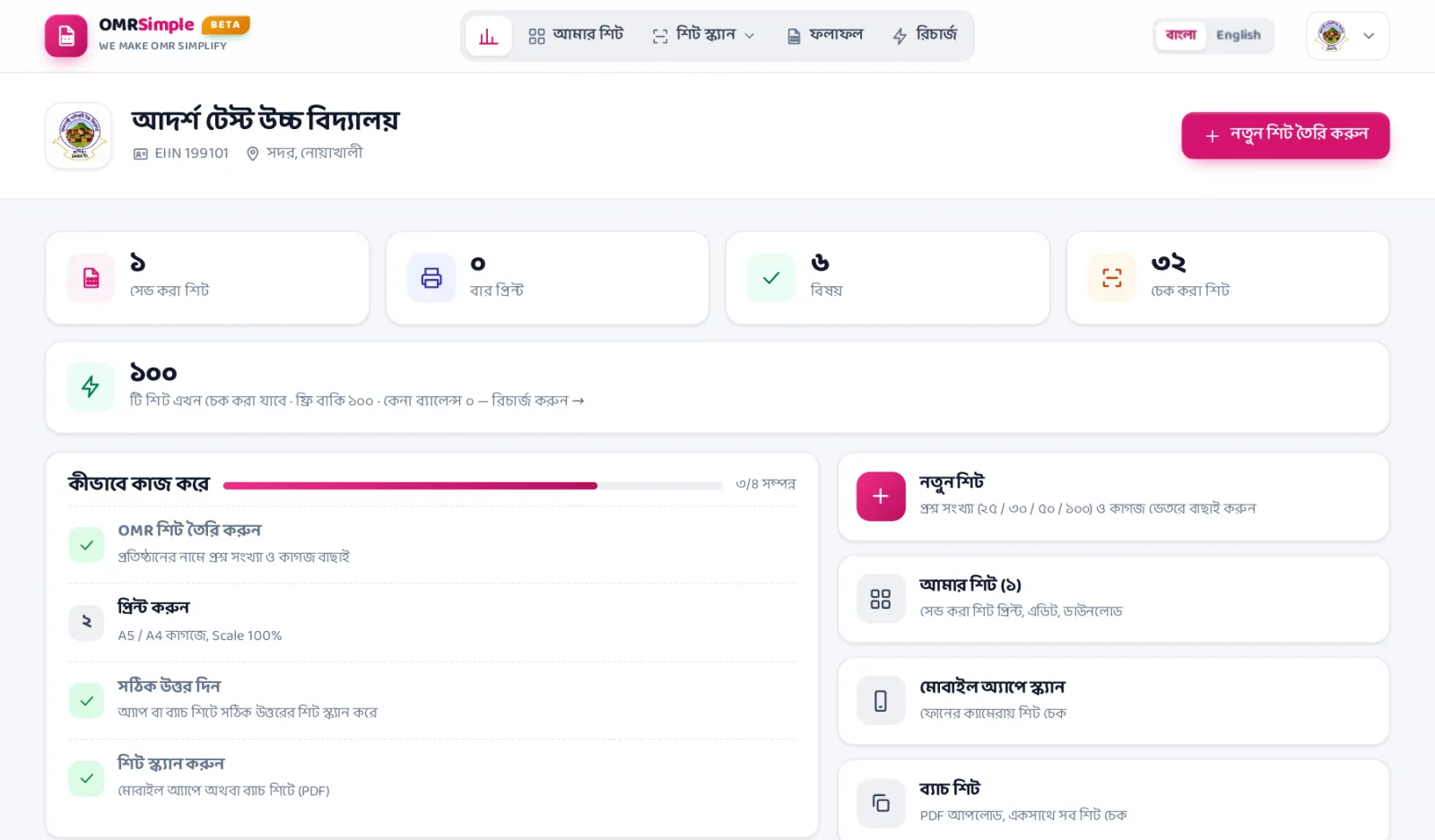
Real screens from OMR Simple.
How to get started
 1Book a free demoSee it working and ask us anything.
 2Choose a packageTell us what you need and get a price.
 3We set it upWith your data, and we train your team.
 4Go liveWith phone and WhatsApp support.
Helpful reading
Questions

What is OMR sheet checker software?
Do I need an OMR machine?
Can I check OMR sheets with a mobile phone?
Which OMR sheets can it check?
Does it support negative marking and question sets?
How do I get the results?
Who is OMR Simple for?
What is the price of OMR Simple?
Do you have software for full results and marksheets?
Terms and conditions

Ordering and payment
- Call us for the price that fits your institute.
Conditions
- Support hours may change on unofficial holidays.
- We may add or remove features to improve the software.
More in Education
View all


Next step
Tell us what is slowing you down.
Send us a few lines about your business or institution. We usually reply within one working day with a clear plan, timeline and cost.